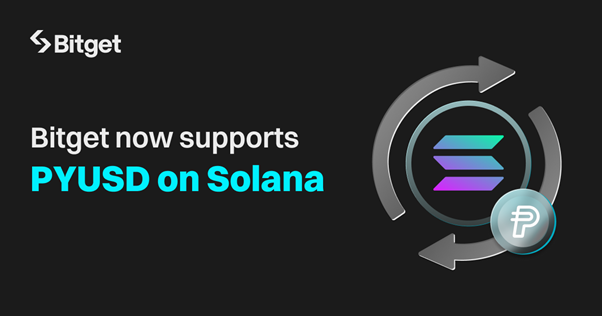
VICTORIA, Seychelles, Aug. 22, 2024 (GLOBE NEWSWIRE) -- Bitget, the leading cryptocurrency exchange and Web3 company, has added trading support for PayPal's PYUSD stablecoin on Solana blockchain, increasing the availability of multichain tokens. This enables smooth transactions of PYUSD on the Solana and Ethereum networks, easing its utility in the broader Bitget ecosystem.
Solana's infrastructure is designed to handle high transaction volumes quickly and at a minimal cost, making it an attractive platform for stablecoins like PYUSD. With its growing reputation as a preferred network for stablecoin activities, Solana offers an efficient and scalable environment that aligns with the requirements of digital payment systems. The integration of PYUSD into Solana broadens user options by enabling transactions on multiple blockchain networks. This step is likely to reinforce Solana's standing in the stablecoin market, further supporting its role in powering financial transactions and other blockchain-based services. By expanding PayPal USD's availability on Solana, new opportunities arise for consumers and businesses, especially in areas where transaction speed and cost-efficiency are crucial.
One of the main advantages PYUSD offers is its potential for greater accessibility and user adoption compared to other stablecoins. PayPal's established global presence and user base give PYUSD a unique advantage. With PayPal's vast network, including millions of merchants and consumers worldwide, PYUSD has the potential to quickly scale and become a prominent alternative in the stablecoin space. Additionally, the integration of PYUSD on platforms like Bitget positions it to capitalize on both retail and institutional interest in stable, fiat-backed stablecoins.
The listing of PayPal's stablecoin, PYUSD, on Bitget is a significant development for both the platform and its users. As one of the most recognizable names in global finance, PayPal's entry into the stablecoin market with PYUSD brings a level of trust for mainstream adoption. Bitget remains dedicated to continuous innovation and optimization, striving to provide users with efficient and accessible trading services. Bitget addresses the demand for more flexible crypto products, empowering its 30 million users to manage and diversify portfolios with emerging tech and new stablecoins.
To start trading PYUSD, visit here.
About Bitget
Established in 2018, Bitget is the world's leading cryptocurrency exchange and Web3 company. Serving over 25 million users in 100+ countries and regions, the Bitget exchange is committed to helping users trade smarter with its pioneering copy trading feature and other trading solutions. Formerly known as BitKeep, Bitget Wallet is a world-class multi-chain crypto wallet that offers an array of comprehensive Web3 solutions and features including wallet functionality, swap, NFT Marketplace, DApp browser, and more. Bitget inspires individuals to embrace crypto through collaborations with credible partners, including legendary Argentinian footballer Lionel Messi and Turkish National athletes Buse Tosun Çavuşoğlu (Wrestling world champion), Samet Gümüş (Boxing gold medalist) and İlkin Aydın (Volleyball national team).
For more information, visit: Website | Twitter | Telegram | LinkedIn | Discord | Bitget Wallet
For media inquiries, please contact: media@bitget.com
A photo accompanying this announcement is available at https://www.globenewswire.com/NewsRoom/AttachmentNg/6e3142f2-b67f-4ac5-9b2e-b88ff0474e46