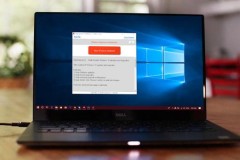
Rochester, N.Y., Aug. 26, 2025 (GLOBE NEWSWIRE) -- Carestream’s Non-Destructive Testing (NDT) group, a global leader in NDT technology, today announced the launch of the INDUSTREX Fieldview Tablet, a rugged industrial tablet designed to simplify digital radiographic (DR) imaging in the field. With the INDUSTREX Fieldview Tablet, radiographers can validate imaging compliance right at the inspection point, eliminating the need to return to previous locations for retakes.
Radiographers can easily verify proper positioning, validate markers and image quality indicators (IQI) sensitivity before moving to the next exposure. They can also instantly review, adjust, retake or wirelessly transfer images to a nearby review station for interpretation. This streamlined workflow keeps inspections moving faster and increases throughput.
“Until now, it has been a challenge for inspectors to acquire and validate images, because review stations are often located away from the inspection point,” said David Chan, Global General Manager for Carestream NDT. “The new INDUSTREX Fieldview Tablet lets radiographers set up, expose, and review images at the inspection point, significantly boosting workflow and productivity.”
Designed to overcome the physical challenges of field imaging, the INDUSTREX Fieldview Tablet offers intuitive features that improve efficiency and ease of use:
- Lightweight and rugged: The new device replaces bulky laptops with a small, tough tablet built for rough terrain and hard-to-reach inspection sites.
- Industrial touchscreen interface: An intuitive, sun-readable touchscreen can be operated with gloved hands, wet hands or a stylus to simplify setup and operation.
- Seamless compatibility: The tablet works with the Carestream NDT family of DR solutions, including the NDT HPX-DR 3543 PE, HPX-DR 2530 PH, HPX-DR 2530 PC, HPX-ARC 1025 PH, and the HPX-ARC 1043 PH DDAs.
The new tablet is a touchscreen-optimized extension of INDUSTREX Digital Viewing Software, Carestream NDT’s all-in-one platform that enables radiographers to standardize on a single solution for both computed radiography (CR) and DR inspections. The software offers easy integration, high-resolution defect detection and advanced analysis capabilities.
For more information on the INDUSTREX Fieldview Tablet, INDUSTREX Digital Viewing Software and Carestream NDT’s DR technology, visit www.carestream.com.
###
About Carestream Health
Carestream is a worldwide provider of medical imaging systems; X-ray imaging systems for non-destructive testing; and precision contract coating services for a wide range of industrial, medical, electronic, and other applications—all backed by a global service and support network. For more information about the company’s broad portfolio of products, solutions, and services, please contact your Carestream representative or call 1-888-777-2072 or visit www.carestream.com.
Attachment
- Carestream Launches the INDUSTREX Fieldview Tablet to Simplify Imaging at Inspection Point

Beau Wyatt Carestream NDT 5856276000 Beau.Wyatt@carestream.com